

We’re excited to share that Close Automation is now generally available for all regions. This latest release brings enhanced capabilities to both Subledger Reconciliation Assistant and Variance Analysis to support multi-base currency across all Close Automation features.
Close Automation in Sage Intacct is a powerful suite of tools designed to streamline and modernise the period-end close. By combining automation, real-time insights, and AI-driven analysis, finance teams can:
· Shorten close cycles
· Reduce manual reconciliations
· Improve visibility across entities
· Identify and resolve issues faster
With enhanced support for multi-base currency environments, global organisations can now benefit from consistent processes and deeper financial insight across regions.
Key features
Close Workspace
Close workspace is a centralised environment for managing the period-close process. Designed to streamline workflows, enhance visibility, and reduce delays, this feature helps finance teams execute their close with greater confidence and efficiency.
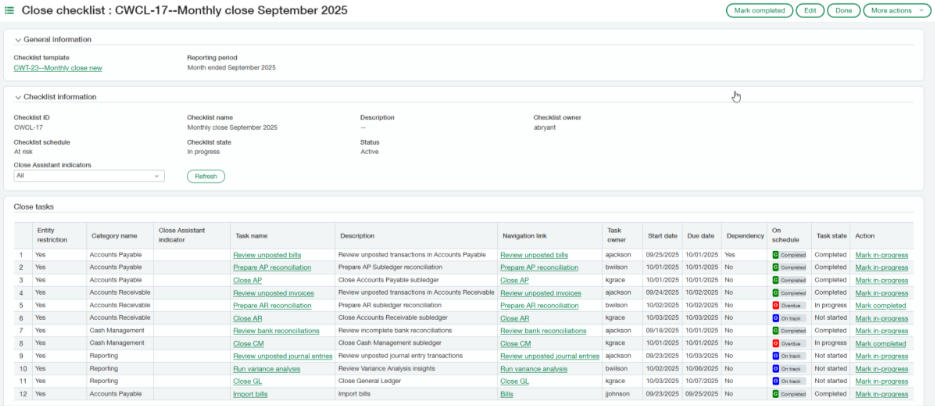
Close checklists
Close checklists help employees track their close-related assignments while giving managers a detailed view of everyone’s progress. Templates for close checklists make it easy to create standardised checklists for each period.
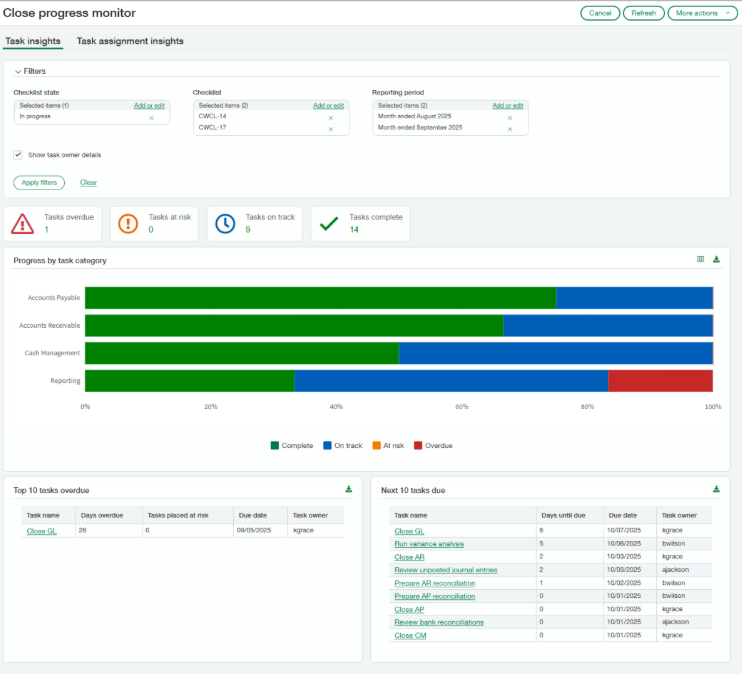
Close progress monitor
Close progress monitor is a dashboard-like page that helps teams close faster by simplifying oversight across entities, tasks, and assignees. Filtering options provide flexible views based on your needs.
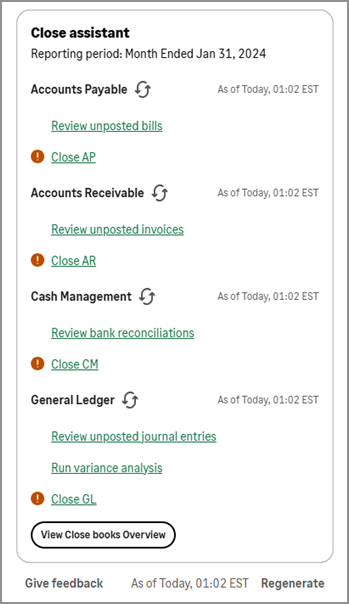
Close Assistant
Close Assistant simplifies navigation for close-related tasks in subledgers and the general ledger and delivers insight into the close status across all entities and subledgers into one clear summary view.
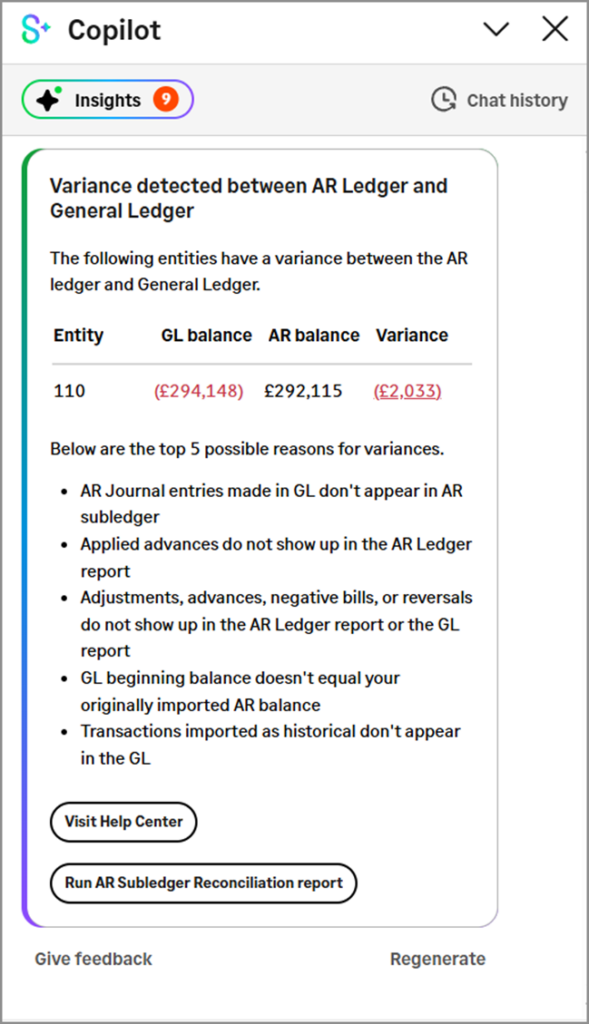
Subledger Reconciliation Assistant
Subledger Reconciliation Assistant saves you time and effort by automating some of the tasks required to reconcile subledgers with General Ledger. Instead of exporting subledger reports and the Trial Balance report to Excel to compare balances, have Subledger Reconciliation Assistant do that for you.
Variance Analysis
Variance Analysis provides insights into budget or prior period differences so business leaders can proactively investigate discrepancies and address spending concerns.
To find out how the new modules capabilities can transform your period-end close, contact Customer Success or watch a short video introduction: CLICK HERE TO WATCH THE VIDEO
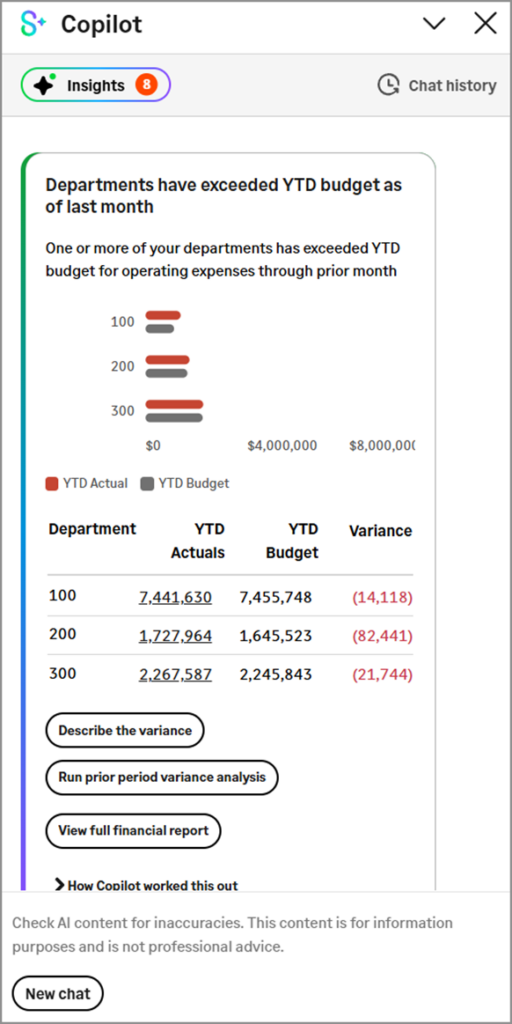
Copilot Variance Analysis includes the following features:
· Automated alerts: Receive notifications when actual expenses exceed budget, allowing for immediate action.
· Real-time variance tracking: Monitor budget vs. actual variances in real-time, ensuring that you’re always aware of your financial health.
· Data visualisation: Visualise your financial data through intuitive charts and graphs for easy understanding.
· Drill-down analysis: Easily drill down into reports to identify the root causes of variances for specific GL accounts.
· Detailed variance insights: Get AI-generated variance descriptions that identify potential causes and implications of the variances.
· Targeted data visibility: Get visibility into data relevant to your respective budget areas. For example, a department manager will be able to see variance analysis for a specific department while a controller will be able to see variance analysis for the entire organisation.