

As a Sage Intacct User, you will already be familiar that Sage Intacct is a powerful cloud financial management platform; helping finance teams manage everything from day-to-day transaction processing to reporting, compliance, and strategic decision-making.
But as organisations grow and processes become more complex, it’s common to find areas where additional functionality could make everyday tasks quicker, easier, and more efficient. Whether it’s reducing manual data entry, simplifying reporting, improving audit readiness, or streamlining high-volume processing, many finance teams find themselves looking for ways to get even more from their Sage Intacct investment.
At Acuity24, we’re always looking for ways to help our customers maximise the value of Sage Intacct. Over the years, we’ve worked closely with our customers and invested significant time in understanding where additional enhancements could make the biggest difference. This has included:
- Listening to customer feedback and understanding the challenges finance teams face in their day-to-day roles.
- Identifying areas where manual processes can be simplified, automated, or made more efficient.
- Regularly reviewing Sage Intacct’s quarterly product releases and new functionality.
- Recognising opportunities to enhance existing Sage Intacct features and further optimise key processes.
- Developing solutions that help bridge functionality gaps and improve the overall user experience.
- Leveraging the expertise of our highly skilled development team to design practical tools that solve real business challenges.
The result is a growing portfolio of Sage Intacct enhancement tools, all available as part of Acuity24 Plus, our newly developed addition package designed to save time, improve accuracy, strengthen financial controls, and help finance teams work more efficiently.
In this blog, we’ll introduce some of the solutions we’ve developed and explain how they can help your team get even more from Sage Intacct, allowing you to focus less on manual administration and more on the activities that add value to your organisation.
Saving Time Across Your Sales and Purchasing Processes
If your team processes large numbers of customer invoices, supplier invoices, payments, or prepayments, you’ll know how quickly manual administration can build up. Entering transactions one at a time, managing spreadsheets, and carrying out repetitive tasks can take valuable time away from more important activities.
To help reduce this burden, we’ve developed several tools within our Acuity24 Plus add-on that streamline some of the most common Accounts Receivable (AR) and Accounts Payable (AP) processes within Sage Intacct. These solutions form part of Acuity24 Plus, our enhancement suite designed to help customers get even more value from Sage Intacct.
Sales Batch Entry
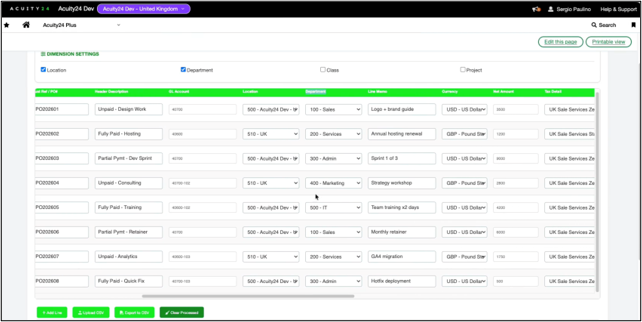
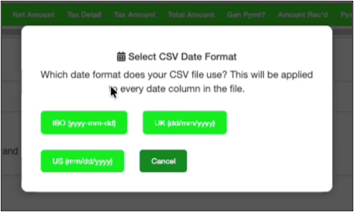
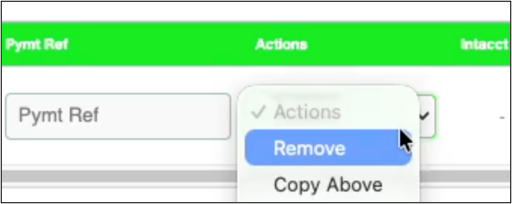
Creating customer invoices individually can be time-consuming, particularly during busy billing periods. Sales Batch Entry allows you to enter or import multiple invoices in a single batch, helping your team process high volumes of transactions more quickly and efficiently.
By automatically applying customer defaults and grouping related transactions together, the tool reduces manual effort while helping improve accuracy and consistency. It can even generate associated payments as part of the same process, helping to streamline your invoicing workflows from start to finish.
Purchase Batch Entry
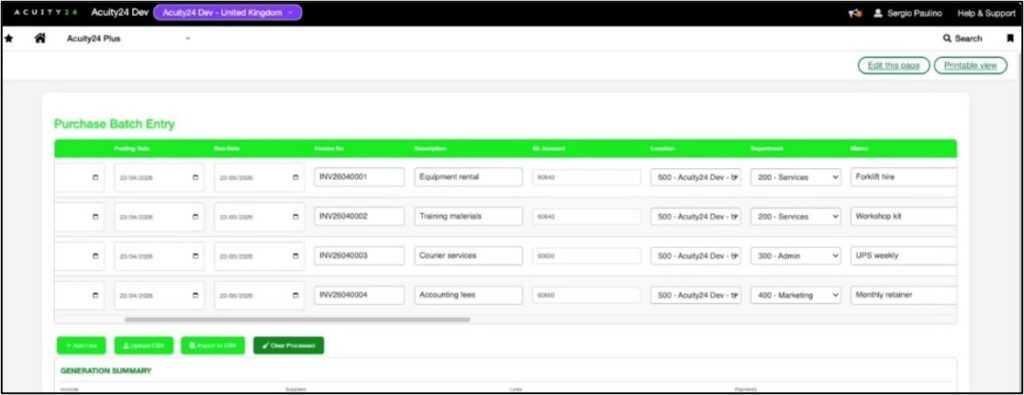
For teams managing large numbers of supplier invoices, Purchase Batch Entry delivers similar benefits on the Accounts Payable side.
Using a familiar spreadsheet-style interface, users can create multiple supplier invoices and payments within a single process. Automated defaults, transaction grouping, and built-in validation help reduce errors, improve consistency, and significantly speed up invoice processing.
AR Advances Import
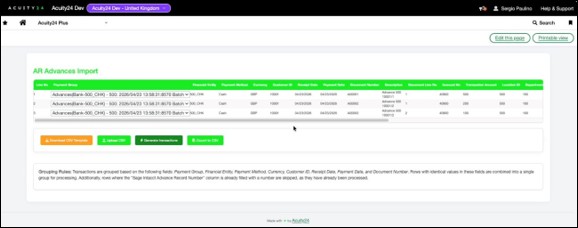
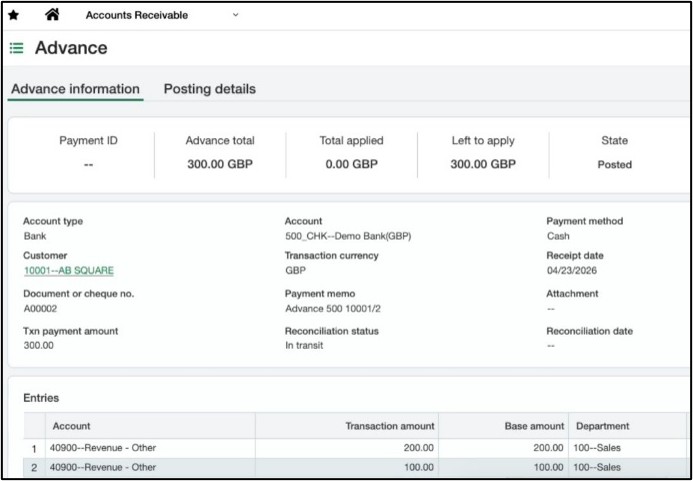
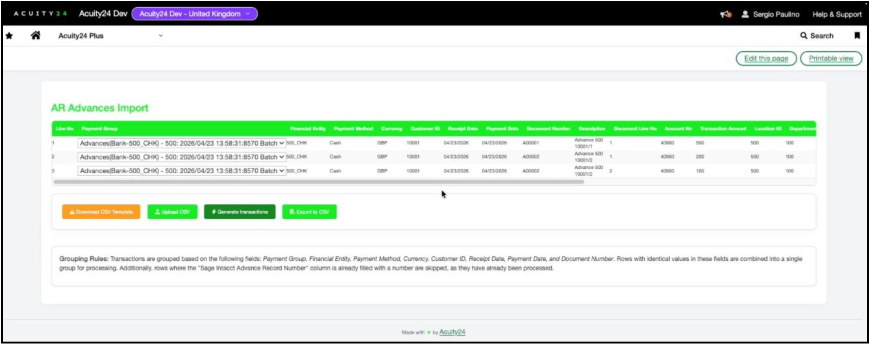
Customer prepayments are often managed through spreadsheets and manual entry processes, which can increase administration and the risk of errors.
AR Advances Import simplifies the creation of advance payment transactions by allowing data to be imported directly from CSV files. Automatic grouping by customer, entity, currency, and payment method helps ensure transactions are processed accurately while reducing the risk of duplicate entries.
AR Discounts Processing
Managing customer discounts can become increasingly complex when calculations, VAT treatment, and compliance requirements need to be considered.
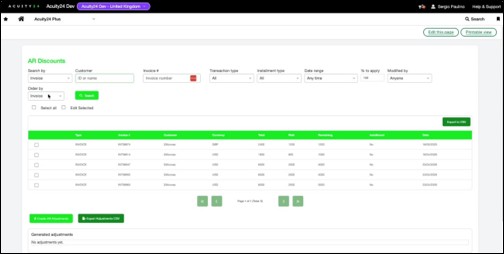
AR Discounts Processing automates the calculation and application of discounts within Sage Intacct, helping ensure they are applied consistently and accurately. This reduces manual effort, improves financial accuracy, and provides greater confidence that discount policies are being applied correctly.

Together, these tools help remove many of the repetitive tasks associated with invoice and payment processing, allowing your finance team to work more efficiently, reduce manual effort, and focus on activities that deliver greater value to the business.
Together, these tools help finance teams reduce administration, improve accuracy and create scalable processes that support future growth.
Making Data Management and Banking Processes Easier
Whether you’re importing large volumes of data into Sage Intacct or generating payment files for your bank, these processes can often be more time-consuming than they need to be. Finance and systems teams frequently find themselves relying on spreadsheets, manual file manipulation, or technical resources to complete routine tasks.
As part of Acuity24 Plus, we’ve developed tools that make managing data and banking processes faster, more accurate, and less reliant on manual intervention. Like all Acuity24 Plus solutions, these tools have been developed in response to real customer challenges.
Data Import Utility
Importing and updating data within Sage Intacct can sometimes be a complex task, particularly when dealing with large volumes of information or data from multiple sources. Many organisations rely on manual imports, custom development, or specialist technical expertise to complete these activities.
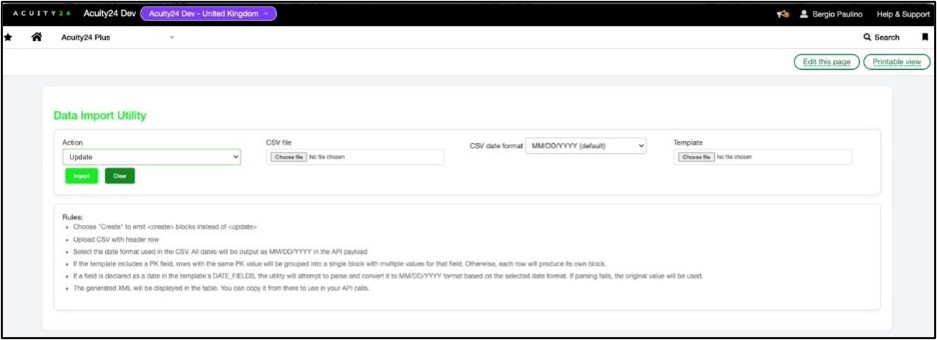
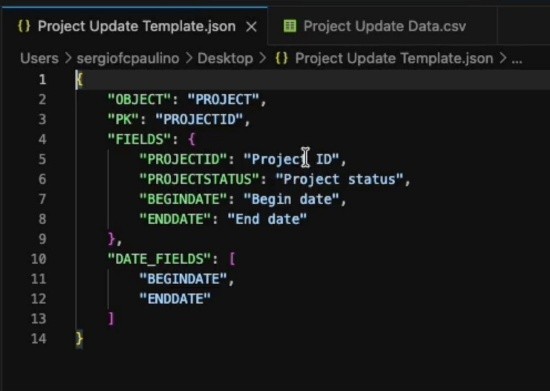
Data Import Utility provides a more flexible and user-friendly approach. Using reusable templates, organisations can create, update, and manage data more efficiently while maintaining control over how information is validated and processed.
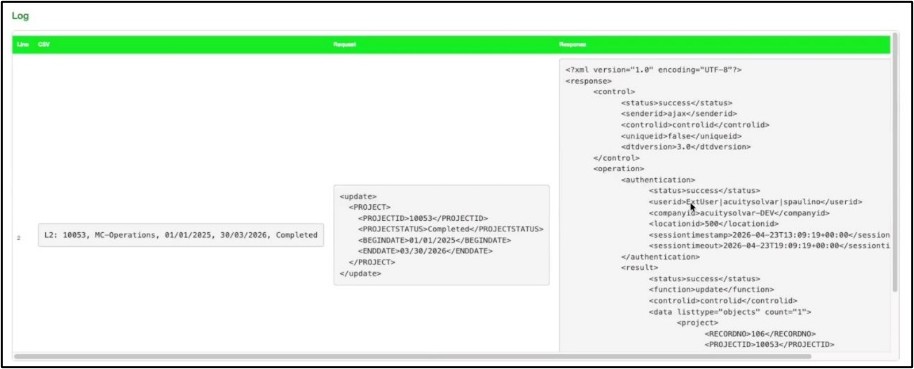
The tool also provides detailed visibility into every import, helping users quickly identify and resolve any issues. Whether you’re carrying out a data migration, updating master records, correcting transactions, or managing ongoing data maintenance, Data Import Utility helps simplify the process and reduce the effort involved.
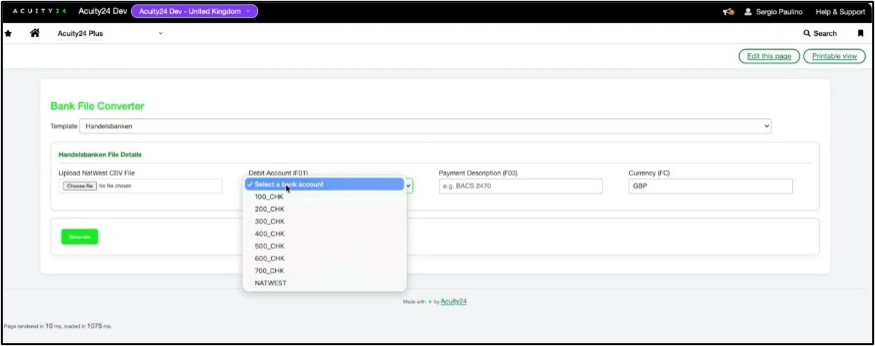
Bank File Converter
If you’ve ever generated a payment file from Sage Intacct only to discover that your bank requires it in a different format, you’ll know how frustrating and time-consuming the conversion process can be.
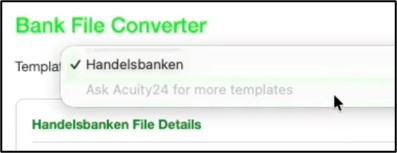
Bank File Converter removes the need for manual file reformatting by converting Sage Intacct payment files into formats that meet your bank’s specific requirements. This helps reduce the risk of errors, minimise rejected payment files, and create a more consistent and reliable payment process.
By automating what is often a manual task, the tool helps finance teams process payments more efficiently while reducing operational risk and administrative overhead.
Together, these tools help remove complexity from two common finance system challenges, giving your team greater confidence in the accuracy of your data and helping key processes run more smoothly.
Giving You Greater Confidence in Reporting, Compliance and Audit Preparation
As your organisation grows, so does the volume of financial data, supporting documentation, and reporting requirements that your team needs to manage. Whether you’re preparing for an audit, reviewing VAT activity, or completing period-end processes, maintaining accuracy and visibility can become increasingly challenging.
To help reduce the administrative burden and strengthen financial controls, we’ve developed a number of tools that make compliance, reporting, and audit-related activities easier to manage within Sage Intacct. These capabilities are also included within the Acuity24 Plus portfolio.
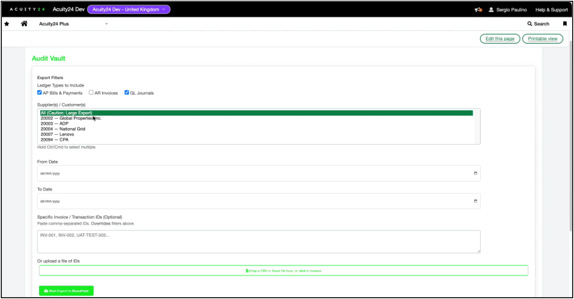
Audit Vault
Preparing for an audit can often involve hours of searching for documents, gathering supporting evidence, and responding to requests from auditors.
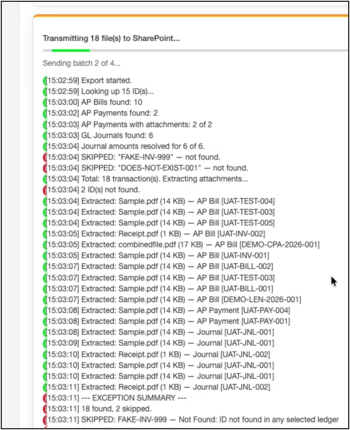
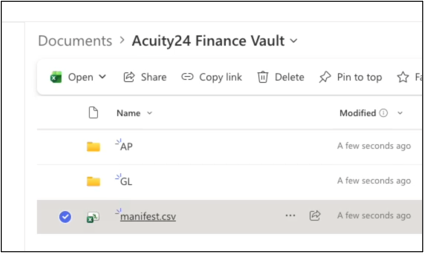
Audit Vault helps simplify this process by automatically extracting supporting documentation from Sage Intacct and organising it into a structured evidence library within SharePoint. This gives your team a central location for audit-related files, making it easier to provide information quickly and confidently when it’s needed.
Additional reporting and exception tracking provide greater visibility into the extraction process, helping ensure supporting documents are complete and easy to locate. The result is less time spent preparing for audits and greater confidence in the information being provided.
GL VAT Report
VAT reporting can sometimes involve pulling information from multiple reports, reconciling figures manually, and investigating discrepancies before submissions can be completed.
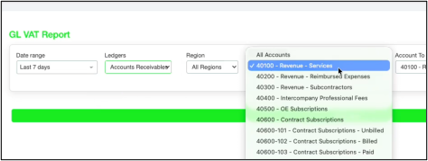
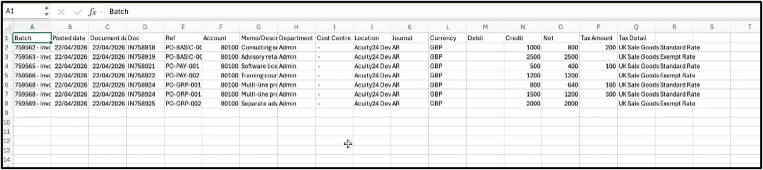
GL VAT Report brings VAT information together into a single view, providing visibility across Accounts Payable, Accounts Receivable, and General Ledger transactions, while maintaining direct links back to the original source records.
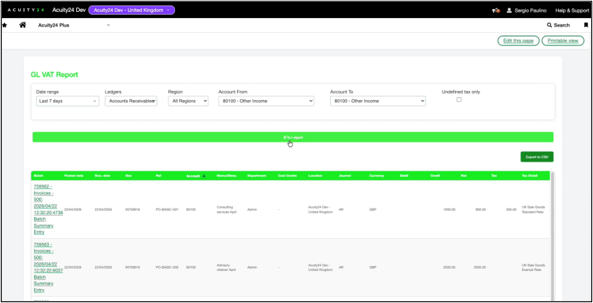
This makes it easier to identify potential tax configuration issues, investigate anomalies, and improve the accuracy of VAT reporting. With clearer visibility and a stronger audit trail, your team can spend less time reconciling data and more time focusing on analysis and decision-making.
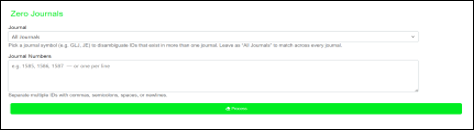
Zero Journals
If you’ve ever reviewed a report filled with reversal journals and duplicate entries, you’ll know how difficult it can be to identify the transactions that really matter.
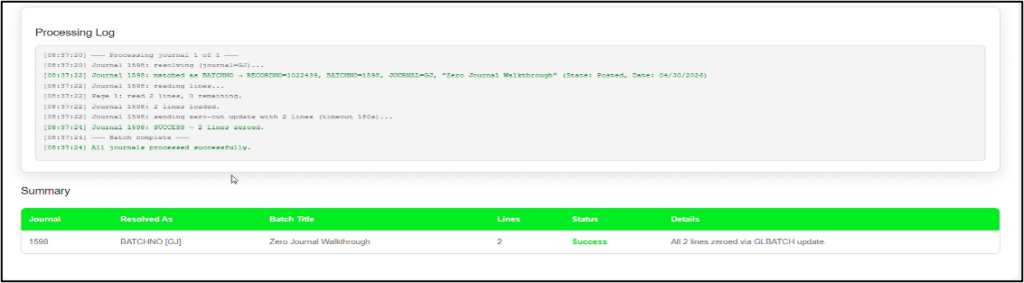
Zero Journals provides an alternative approach to traditional journal reversals by allowing journal values to be set to zero within the original journal, while maintaining a complete audit history of the activity performed.
Designed to handle large volumes of journal lines and multiple journals at once, the tool helps reduce report clutter, simplify period-end processing, and make financial information easier to review and analyse.
Together, these tools help strengthen financial controls, improve visibility across key processes, and reduce the effort involved in managing audits, reporting requirements, and period-end activities.
Collectively, these solutions strengthen governance, improve reporting accuracy and support more effective financial control.
Improving the Day-to-Day User Experience
When people think about improving efficiency, they often think about automation. But sometimes the biggest productivity gains come from making everyday tasks quicker, simpler, and less frustrating for the people using the system.
Small improvements to how information is presented and accessed can have a significant impact over time, helping users complete tasks more efficiently and make decisions with greater confidence.
PO Enricher
If your team regularly processes purchase orders, you’ll know that finding the right information quickly can make a big difference to productivity. As transaction volumes grow, users can spend increasing amounts of time filtering records, reviewing statuses, and navigating screens to identify the information they need.
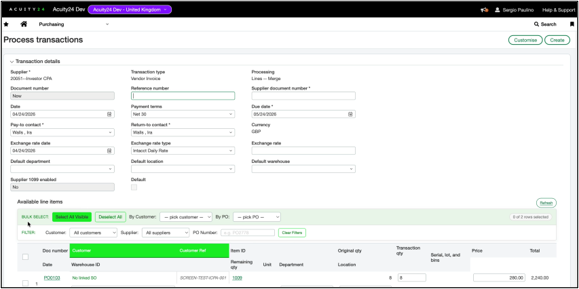
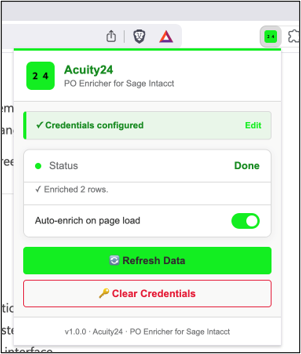
PO Enricher has been developed to enhance the Purchase Order Process Transaction screen within Sage Intacct, helping users work more efficiently without changing the underlying process.
The lightweight Chrome extension introduces additional filtering options and provides greater visibility of key purchase order information, making it easier to review, prioritise, and process transactions. Because it works alongside the existing Sage Intacct interface, users can benefit from a more intuitive experience without the need for extensive training or process changes.
The result is a smoother user experience, faster decision-making and less time spent searching for information, allowing your team to focus on processing transactions rather than navigating the system.
Helping You Get Even More from Sage Intacct
Every organisation uses Sage Intacct differently, and as your business grows, it’s natural to identify areas where processes could be faster, simpler, or more efficient.
That’s exactly why we’ve developed these tools.
By working closely with our customers, listening to their feedback, and understanding the day-to-day challenges faced by finance teams, we’ve been able to create practical solutions that enhance the Sage Intacct experience and help organisations overcome common operational hurdles.
Whether it’s reducing manual data entry, streamlining invoice processing, simplifying audit preparation, improving reporting visibility, or making everyday tasks easier for users, each tool has been designed with a clear purpose: helping you get more value from your Sage Intacct investment.
Most importantly, these solutions help free up time for your team. By reducing administrative effort, improving accuracy, and strengthening financial controls, your finance function can spend less time managing processes and more time focusing on the activities that support the wider business.
If any of the tools featured in this blog sound like they could benefit your organisation, we’d be delighted to discuss them further. Speak to your Acuity24 Customer Success Team to arrange a demonstration and see how these solutions could help optimise your Sage Intacct environment.